
4 entries · about 90 s
Tiger Exchange Register ID — Quick 90-Second Sign Up to Join and Play
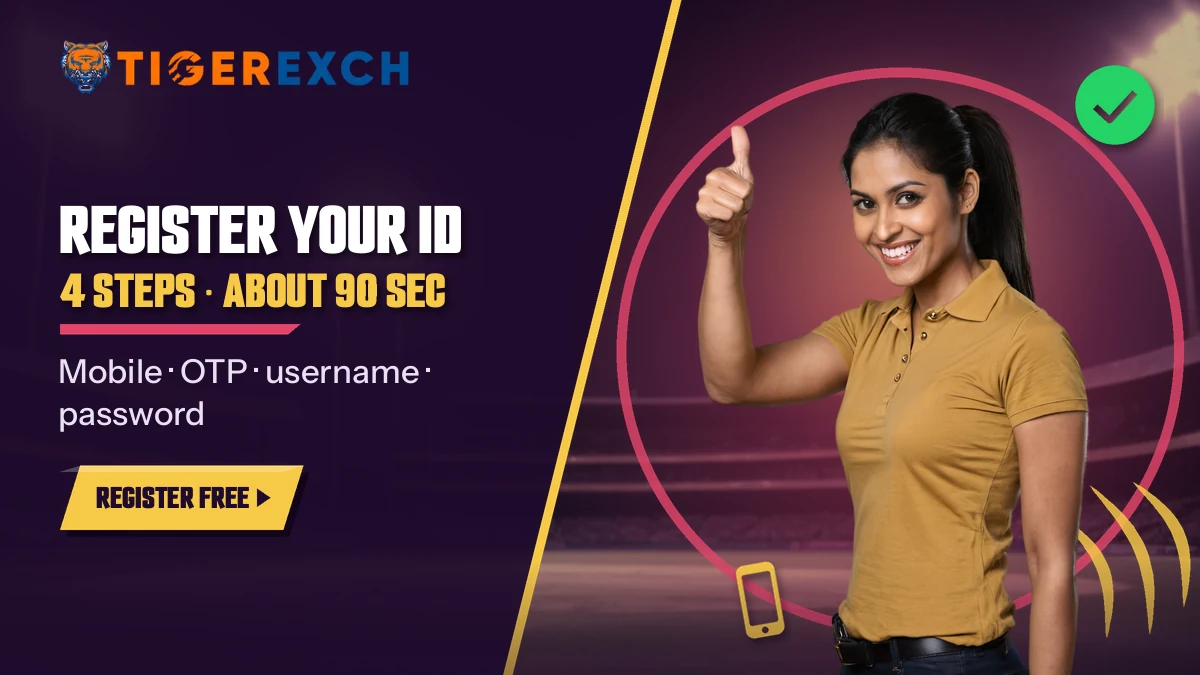
Phone in hand first: the Tiger Exchange sign-up texts a 6-digit code that expires after 5 minutes. Type the 10 digits after +91, key in that code, pick a username, set a password. That is the account, usually inside 90 seconds. A referral line sits at the bottom and can stay empty.
Tiger Exchange Register ID Form — Four Easy Steps and a Live OTP Clock
This is the order the Tiger Exchange sign-up screen follows. Nothing on this card submits; it is a replica so you know what is coming before the real Tiger Exchange form opens, and so the 5:00 countdown does not catch you off guard.
- 1Mobile number after the fixed +91
- 26-digit OTP, valid for 5 minutes
- 3Username you will log in with
- 4Password, then the optional referral box
Stuck on a step? Every Tiger Exchange error fix is further down this page.
OTP from SMS
Code valid for 5:00 · a fresh code replaces the last one
Open the 4-Step Tiger Exchange FormWhat a Quick Tiger Exchange Register ID Needs Before You Tap Start
Ninety seconds is real. It also assumes you sit down ready, with the phone that will get the code already in your hand. People who take ten minutes over a Tiger Exchange register ID are usually hunting for a second device, or a username, halfway through. Gather these first:
- An Indian mobile The SIM has to be in a phone near you and able to receive SMS right now, since the Tiger Exchange code lands there and nowhere else.
- A username, plus two backups Short, easy to type on a phone keyboard. Popular names get taken, so have a spare or two in mind.
- A password ready to save Decide where it will live (a notes app, a password manager) before you invent it, not after the Tiger Exchange form closes.
- The invite message, if there was one When a friend sent you here with a code, keep that chat open so the code can be pasted across letter for letter.
- Your age Tiger Exchange accounts are for 18+ only.
- A bank or UPI in your own name Not needed today. It matters on cash-out day, and the Tiger365 withdrawal rules explain why the name has to match.
Field by field: what each Tiger Exchange box accepts
The table below is the same form read from top to bottom, with the snag that trips people on each line. Nothing here is hidden behind a second screen.
| Field | What to type | Where people slip |
|---|---|---|
| Mobile number | The 10 digits only; +91 is already printed beside the box | Typing 0 or +91 again, which makes the number too long |
| OTP | The 6 digits from the newest SMS | Using an older code after pressing resend |
| Username | Letters and numbers of your choice | Picking a common name that another Tiger Exchange player already holds |
| Password | Something only you know | A short or obvious one that the form marks as weak |
| Referral code | The exact code a friend sent, or nothing | A typo in the code, or a stray space at the end |
Say Priya opens the Tiger Exchange form on her phone during a match break. She types her ten digits, the SMS arrives while she is still looking at the screen, and the six digits go in. Her first username, priya, is taken — no surprise. Priya07 works. She sets a password she already has written in her notes app (a fresh one, not her email password), skips the referral box, and taps finish. Roughly a minute and a half, start to end. Her Tiger Exchange register ID is done before the over resumes.
Registering a Tiger Exchange ID from a laptop
The form is identical on a laptop browser, and some people find the bigger keyboard easier for choosing a username. The catch is obvious once you think of it: the OTP still goes to your phone. Keep the phone unlocked beside you before you type the number, because walking off to find it eats into the 5-minute window. After the account exists, you can sign in on either device with the same Tiger Exchange username and password.
What the Tiger Exchange form does not ask for
No email address. No PAN, no Aadhaar, no bank details, no selfie. The four entries above are the whole Tiger Exchange register ID form, which is why it fits inside 90 seconds. Identity checks come later and only for one reason: KYC is done before your first withdrawal, so that money goes back to an account in your own name. If a page claiming to be Tiger Exchange asks for card numbers or a bank PIN at sign-up, close it. That is not this form.
Deposits do not need KYC first either, though it is sensible to finish it early (one less wait on the day you want to cash out).
That example is the smooth path. In practice the hold-ups are almost always the OTP or the username, and both have a fix that takes less then a minute.
Tiger365 Sign Up, Register ID and Tigerexchindia Net — Clear Answers
Is a Tiger365 sign up the same as a Tiger Exchange register ID?
Same thing, three spellings. Search history decides which one people type: older players say Tigerexch, the 365 crowd says tiger365 sign up, and newcomers type tiger exchange register id. Every one of them lands on the Tiger Exchange official sign up with the +91 box, six OTP digits, username and password. One login comes out of it, good on any working address.
Searching www tigerexchindia net or a com login registration page
Plenty of players arrive by typing tigerexchindia net, a tiger exchange com login registration phrase or tiger 365 login registration id and password into Google. All of these point at the same need: open a Tiger Exchange account. Because betting domains in India get blocked from time to time, the safe habit is to start from a button you trust rather than an address remembered from last season. Your ID stays the same whichever mirror you end up on.
Tiger Exchange 365 sign up in the right order
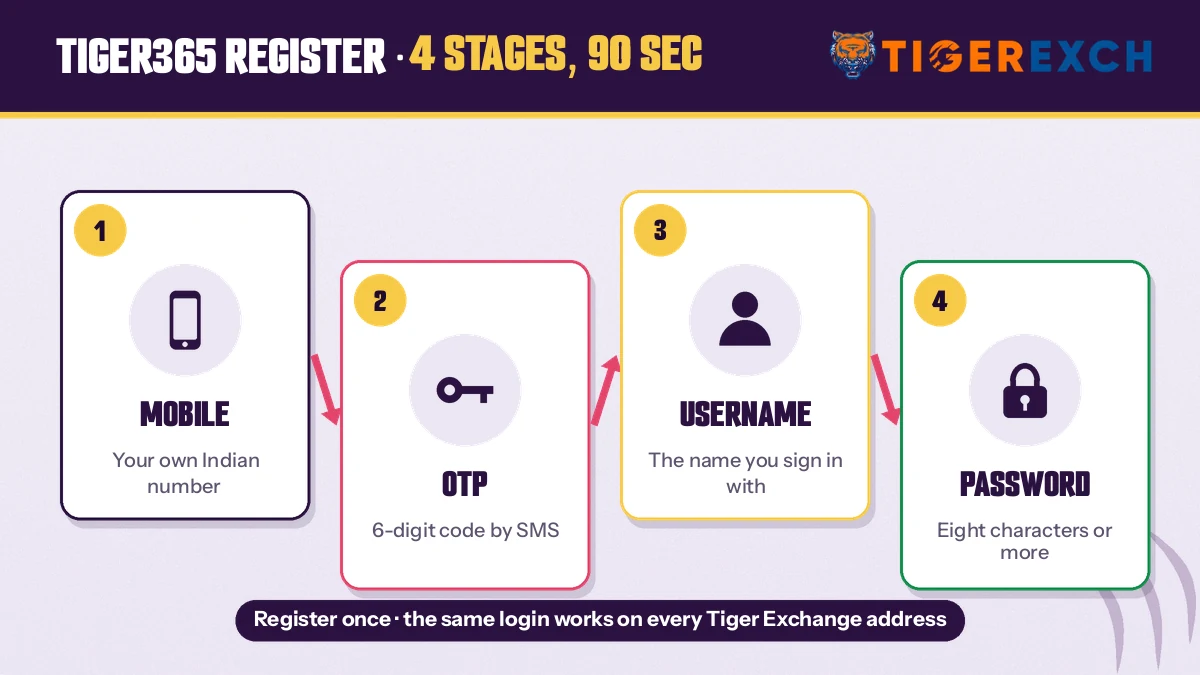
- Enter the 10-digit mobile number next to +91.
- Type the newest 6-digit OTP within 5 minutes.
- Pick a username that is still free.
- Set a password, add a tigerexch referral code only if you have one, and finish.
A Tiger Exchange 365 sign up follows exactly these four steps; the 365 name does not add a fifth one or a separate form.
Tiger Exchange Register ID Errors — Quick Fixes for OTP, Username and Password
Four things can stop a Tiger Exchange register ID halfway. None of them means the account is refused. Each has a short fix, listed below in the order people usually hit them. Read the one that matches the message on your screen; there is no need to work through all four.
The Tiger Exchange OTP never arrives
First look at the number on screen. Because +91 is printed already, an extra 0 at the start turns a good number into a wrong one, and the SMS goes nowhere. Next, check that the phone has signal and that the message app is not filing texts from unknown senders into a separate folder, which a lot of Android phones do by default. Then wait. Asking for three new codes in a row tends to make things slower, not faster.
Wrong or expired Tiger Exchange code
Each Tiger Exchange code lasts 5 minutes. If you pressed resend, only the newest SMS counts; the earlier one is dead even if it is still within its time, and that is probably the most common reason for a wrong-code message. Let the timer run out, request one fresh code, and type it straight away without switching apps for long.
Username already taken on Tiger Exchange
Common first names, team names and player names went long ago. Add two digits, a city short form or your initials. Keep it something you can type without thinking, because the Tiger Exchange login screen asks for this exact username every time along with your password, and a clever name is a nuisance at 11 pm on a small keyboard.
Password marked weak
The Tiger Exchange form flags passwords it thinks are easy to guess. Going longer and mixing letters with numbers usually clears it. Do not reuse your email or UPI password here. Save the new one somewhere private before you tap finish, so the first login is not a reset.
How the 5:00 Tiger Exchange OTP clock behaves
The timer starts the moment the code is sent, not when you open the SMS. Leaving the Tiger Exchange tab to read the message is fine; the countdown keeps running in the background and the code still works when you come back, as long as it has not hit zero. Many phones now offer the code as a keyboard suggestion when the SMS arrives. Tap that suggestion and all six digits fill in one go, which removes the most common typing slip. When the clock does reach zero, the boxes stop accepting that code and a fresh one has to be requested.
The Tiger Exchange sign-up page will not load at all
Different problem, different fix. If the form never appears, the address you opened has most likely been blocked by a network in India, which happens to betting domains regularly. Switching from mobile data to Wi-Fi, or the other way round, sometimes gets through. The cleaner fix is a current link: the register buttons on this page are kept pointing at a working Tiger Exchange sign-up, so start there instead of retrying a dead address.
When the form says the number is already registered
Usually the reason is forgotten history: an account opened on this number long ago, maybe through a cousin who set it up for you. The Tiger Exchange form treats that number as spoken for. Registering again will not work around it. The quicker route is the forgot-password option on the sign-in screen, which sends a reset code to that same registered mobile; once you are in, the old ID and its balance are yours to use again.
If none of this clears the problem, the chat desk on +91 81097 11726 can look at it. Send the error text exactly as it appears on screen. A photo of the screen helps more than a description does, and it saves a round of back-and-forth questions.
Tiger Exchange Register ID With a Referral Code or From Tigerexchindia Net — Real Options
Tigerexch referral code: optional, not a gate
Below the password sits one more line, and plenty of people stall there wondering what to put. Nothing, in most cases. A tigerexch referral code exists so Tiger Exchange can note which friend invited you; skip it and your username, password and wallet come out identical.
If you do have a code, copy it rather than retyping. A wrong code is the only way this box causes trouble, and the fix is simple: clear the box and finish without it, then mention the code to the desk if it mattered to the person who shared it. Do not keep retrying the same code with small changes. Also, a code is not something you need to buy or hunt for online; anyone offering to sell a Tiger Exchange referral code is selling nothing.
Tigerexchindia net and other Tiger Exchange addresses
Search phrases outlive web addresses. Tigerexchindia net still gets typed into Google by people who want a Tiger Exchange account, partly because older posts and forwards still carry it. Meanwhile Indian networks keep blocking betting domains, which is why Tiger Exchange keeps several mirrors running in parallel, all sharing one ID and one balance.
Our address check on 1 Oct 2026 tested other Tiger Exchange domains and did not include tigerexchindia net, so we will not tell you its state today. The addresses we did test, with what each returned, sit on the Tiger365 Pro address page. For registering, the buttons on this page take you to the current sign-up, which is less guesswork than typing an old address from memory.
A referral also changes nothing about the form itself. Same four Tiger Exchange entries, same 90 seconds, same login afterwards. It is a label on the account, not a different kind of account.
One more point on addresses, because it confuses people: the register step happens once. After that, whichever Tiger Exchange mirror loads for you, the username and password you just set are the ones it accepts. You do not register again per address. Bookmark the one that worked for you on sign-up day, and if it stops opening some weeks later, check the address page for a current Tiger Exchange mirror rather than starting a new account.
After a Tiger Exchange Register ID Goes Live — Fast First Deposit, Chat Route and First Login
Your Tiger Exchange register ID exists the moment you tap finish. Three things usually come next, and they happen in this order.
Fund the Tiger Exchange wallet
New username, zero balance. Before topping up, open the Tiger Exchange withdrawal timeline once, because it explains the payment routes, the lowest amount the cashier accepts and the name-match check on payouts. Reading it after your first deposit is backwards (people do it anyway).
Or skip the form and take a Tiger Exchange ID by chat
Some people would rather not fill anything. The chat route works differently: you send a name and a mobile number, and the desk replies with an ID and a temporary password in about 12 minutes. Full details are on the Tiger Exchange ID by chat page, and the number plus message format is on the Tiger Exchange WhatsApp number page. Both routes end with the same kind of account. Pick whichever is less effort for you.
Sign in for the first time
Use the username and password you set a minute ago. The Tiger Exchange login page covers the routes in detail, including mobile and OTP sign-in for days you forget the password. If its your first time on a new phone, expect to type the password in full once; after that the browser can remember it if you let it.
Form or chat: the two Tiger Exchange routes side by side
- Time
- Form about 90 seconds; chat roughly 12 minutes.
- What you hand over
- Form: mobile, OTP, username, password. Chat: your name and mobile number.
- Password
- Form: you set it yourself. Chat: a temporary one arrives with the ID, and you change it on first login.
- Username
- Form: your own choice. Chat: issued by the Tiger Exchange desk.
- Best for
- Form: anyone whose SMS arrives quickly. Chat: anyone who would rather type one message than fill five boxes.
A note on which route is faster. On paper the form wins, about 90 seconds against roughly 12 minutes on chat. In real life it depends on whether your SMS turns up promptly. If the code is slow on your network, the chat route may simply be the the easier one that day. Both end in an account that logs in the same way, holds the same wallet and reaches the same Tiger Exchange cricket and casino lobby, so there is no wrong choice here.

Tiger Exchange Register ID Questions — Genuine Answers Before You Sign Up
Where is the Tiger Exchange official sign up?
Any register button on this page opens it. The screen you get matches the replica card near the top: a +91 number box, six OTP boxes counting down from 5:00, then username and password fields. Seeing that layout is a good sign you are on the real Tiger Exchange form, not a copy asking for more.
How does a Tiger Exchange 365 sign up work?
Exactly like any other Tiger Exchange registration, because 365 is a name, not a separate product. The code goes to your phone, you have five minutes to type it, then you choose the username and password you will log in with. Anyone already holding a Tiger Exchange ID can skip this and simply sign in.
Is there a separate Tiger Exchange com login registration page?
No, registration and login are two steps of the same Tiger Exchange account. You register once with mobile, OTP, username and password. After that the com login page, or any other live address, simply asks for that username and password. You never register a second time for a different domain.
Do I need a Tigerexch referral code to register?
No. The code only credits the friend who invited you; your own Tiger Exchange account is the same with or without it. Received one in a chat? Paste it rather than retyping. Rejected on the first try? Delete it, tap finish, and tell the person who sent it so they can check the code.
Is tigerexchindia net real?
We cannot confirm it either way. On 1 October 2026 we opened eight Tiger Exchange addresses, from tiger365.pro to tigerexch.com, and tigerexchindia net was not on that list. The name keeps showing up next to Tiger Exchange registration in search, but an untested address deserves caution; the register buttons here are the safer start.
How long does a Tiger Exchange register ID take?
About 90 seconds when the OTP arrives promptly. The four entries are mobile, code, username and password. Most delays come from a slow SMS or a username that is already taken. If you would rather not fill a form, the chat route sends an ID in roughly 12 minutes instead.
Can I register on Tiger Exchange without a referral?
Yes. Most new Tiger Exchange accounts are opened without any referral at all. The referral field is the last box on the form and it is not required. Leave it empty, tap finish, and your username and password are ready to use for your first login straight away.
Tiger Exchange Register ID Searches — Popular Ways People Ask
- tiger exchange register id
- tigerexchindia net
- tiger365 sign up
- www tigerexchindia net register
- tiger exchange official sign up
- tiger exchange 365 sign up
- tigerexch referral code
- tiger exchange new id register
- tiger 365 registration id and password
- tiger exchange com login registration
- tigerexch sign up online
- tiger exchange otp not received